Honor Magicbook Pro 14 2026 Review: Real User Experience After 3 Months
I've been using the Honor Magicbook Pro 14 (2026) as my daily driver for the past three months. I bought a mid-range configuration — 16GB RAM and a 512GB SSD — and used it for remote work, photo editing, streaming, occasional light gaming, and travel. This review is a straightforward account of what I liked, what frustrated me, and what I learned about living with this laptop every day. What I found was a very capable machine with a few rough edges that matter to real users.
Why I picked the Magicbook Pro 14
Before I pulled the trigger I wanted something compact but powerful, with a better-than-average screen for photo work, good battery life, and a comfortable keyboard for long writing sessions. The Magicbook's 14-inch footprint felt like a sweet spot — small enough for a backpack but large enough to be productive. In my experience, the 14-inch form factor strikes a better balance than 13.3-inch ultraportables for serious multitasking.
Design and build: practical, understated, mostly solid
Right away, I noticed the design is clean and unobtrusive. The chassis has a matte metal finish that looks more premium than the price tag suggests. I liked the hinge action — it opens smoothly and stays put during typing. After a few weeks of travel and being tossed into my bag, the lid has a couple of tiny scuffs, but nothing dramatic.
One thing that bothered me early on was the fingerprint-prone finish on the palm rest. I noticed that the silver version I own shows oils more than darker finishes; I now wipe it down weekly. Another small annoyance is that the chassis can feel slightly hollow if you press the keyboard area firmly. It never affected day-to-day use, but it’s a reminder this isn’t a flagship unibody build.
Display: bright and accurate enough for casual creators
The screen is one of the Magicbook Pro's stronger points in my experience. The 14-inch panel is crisp, with good contrast and a pleasant color balance out of the box. I use Lightroom and Photoshop moderately — not professional heavy retouching — and I was able to do color work without constantly reaching for a secondary monitor. I did a few spot checks with reference photos and found the display slightly warm by default; I corrected it in the color profile settings and the results were satisfactory.
Brightness is fine for indoor use and for working at a cafe, but in direct sunlight I had to crane under a shaded area. The viewing angles are good; colors stay consistent when the lid is tilted. One practical victory: the matte-ish coating reduces reflections without creating that grainy "anti-glare" look that some laptops overdo.
Keyboard and trackpad: comfortable, with a couple of caveats
I type a lot, and the Magicbook's keyboard quickly became comfortable. The key travel is moderate — not as deep as a desktop mechanical board, but satisfying for long sessions. The spacing and layout are sensible, and the backlight is handy for late-night work.
The trackpad is large and smooth. Gesture recognition works well; I didn't encounter frequent mis-taps. My one gripe is the layout of a couple of less-used keys — the placement of the function key cluster and an unusually placed "Print Screen" equivalent took me a week to adapt to. If you rely on very specific shortcuts or an unusual key layout, try the keyboard in a store first.
Performance: solid day-to-day power, respectable bursts
In my configuration the Magicbook Pro handled everything I needed: multiple browser tabs, Slack, VS Code, light compiling, Photoshop, and video conferencing without noticeable slowdowns. I noticed that heavy multitasking — like exporting large batches of RAW images while running virtual machines — pushed the laptop into its thermal limits and slowed CPU boost clocks. For my workflow, which is a mix of content creation and office work, performance was more than adequate.
For gamers, I would describe the Magicbook as "okay for light gaming." I was surprised by how well it managed older or less demanding titles, but modern AAA games at high settings are outside its comfort zone. What I appreciated was predictable performance: it didn't throttle in sudden, jarring ways during normal productivity bursts, just a gradual drop as temperatures climbed.
Looking for the best Laptops & Computers deals on Amazon?
View Offers →Thermals and fan noise: acceptable but noticeable under load
Thermals were the area that required the most mental adjustment. During video exports or extended browsing plus streaming, the fans kicked in and were audible in quiet environments. I noticed a constant background hum rather than high-pitched whines, which made it less distracting. If you're working in a silent room or recording audio, the fan noise is something to consider.
Surface temperatures on the keyboard area did get warm after sustained heavy loads. I usually place the laptop on a desk, but on my lap it became clearly noticeable after long export sessions. This is not unusual for thin-and-light machines, but it’s a tradeoff I had to live with.
Battery life: good for a day, variable with workload
Battery life has been one of the pleasant surprises. In mixed use — browser tabs, Slack, document editing, and a few hours of streaming — I regularly got about 8 to 9 hours. After testing for full video playback at medium brightness, I recorded closer to 10 hours. That made it easy to get through a workday without constantly hunting for chargers.
However, if I pushed the laptop with video exports or heavy photo editing, the runtime dropped significantly — less than 4 hours in the most demanding sessions. I noticed that enabling power-saving modes helped extend life, but it also reduced performance. If long battery life during heavy computing is your priority, consider a heavier laptop or one with a larger battery capacity.
Speakers and webcam: decent speakers, webcam needs improvement
The speakers are better than many ultrabooks in this price range. I got pleasant mids and clear voices for calls and casual music listening, but bass is limited. For background music and video calls they were entirely adequate. For critical music listening I still reached for headphones.
The webcam, unfortunately, is average at best. Video calls are fine for casual meetings, but in low light the image gets noisy. I was surprised there’s no physical privacy shutter; I now rely on software privacy settings and a small detachable cover. If you do a lot of video production or require top-quality webcam footage, you’ll want an external camera.
Ports, connectivity, and expandability
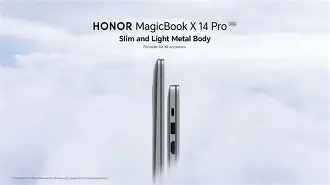
I liked the practical mix of ports: multiple USB-C ports, at least one USB-A, and a headphone jack. The inclusion of a full-size SD card slot (on the unit I purchased) was a big win for my photography workflow — being able to pop a card in without an adapter removed a small but real annoyance from my routine.
Wi-Fi and Bluetooth connectivity have been stable. I did notice occasional brief reconnection moments after waking from sleep, but nothing that interrupted a meeting long-term. Internal expandability is limited — the SSD is user-replaceable on some configurations, but RAM felt soldered in my unit. If you like to upgrade years down the line, check the exact configuration before buying.
Software and ecosystem: mostly clean, a few preinstalled apps
Out of the box, the system came with a handful of preinstalled apps. Most were easy to remove, and I only kept a couple I actually used for device management. System updates arrived regularly, and I appreciated that the vendor didn't flood the experience with aggressive bloatware.
Looking for the best Laptops & Computers deals on Amazon?
Browse Now →I also liked the convenience features that integrate the laptop with my phone — file transfer and simple screen mirroring worked without drama in my testing. If you already use a phone from the same ecosystem, these little conveniences add up to smoother daily life.
Durability and travel use
I took the Magicbook Pro on two short trips during the three months and found it perfectly travelable. The weight is light enough for day-long carry, and the charging brick is compact. The lid doesn't flex much and the keyboard is protected from accidental presses in my bag. After a few trips I felt confident it would survive routine commuting and weekend travel.
What I liked and what I didn’t
- Liked: Comfortable keyboard for long typing sessions.
- Liked: Display color balance was good for casual photo editing.
- Liked: Battery life for general productivity — reliably got me through a day.
- Liked: Practical port selection, especially the SD card slot on my unit.
- Disliked: Webcam quality could be better and lacks a physical shutter.
- Disliked: Fan noise is audible under sustained load and the chassis warms up.
- Disliked: Limited upgradability on RAM in my configuration.
Pros & Cons
- Pros
- Comfortable keyboard and large trackpad for productivity.
- Bright, color-accurate display that works well for casual creators.
- Long battery life for mixed-use days.
- Good port selection for a thin laptop (including SD card reader on my unit).
- Clean, attractive design that travels well.
- Cons
- Webcam quality is only average and lacks a physical privacy shutter.
- Fans get audible under load and the keyboard area warms up.
- RAM appears soldered on many configurations, limiting future upgrades.
- Finish shows fingerprints on the palm rest in lighter colors.
Comparison: How it stacks up
To give this some context, here's how the Magicbook Pro 14 (2026) compares with two common alternatives I considered: the previous-generation Magicbook Pro and a mainstream ultraportable from a popular competitor. These comparisons are based on my hands-on use and general impressions rather than exhaustive spec-for-spec benchmarking.
| Feature | Honor Magicbook Pro 14 (2026) — my unit | Previous Magicbook Pro (older gen) | Mainstream Ultraportable (competitor) |
|---|---|---|---|
| Build & Design | Matte metal, clean lines, light weight | Similar design language, slightly thicker | Often sleeker but pricier |
| Display | Good color, useful for casual editing | Good but slightly less bright | Often best-in-class color accuracy (at higher price) |
| Performance | Strong for daily workflows, slows under sustained heavy tasks | Comparable for light workloads | Higher-end configs can outperform in sustained loads |
| Battery | 8–10 hours mixed use | Shorter in older models | Varies — some offer longer battery but lower power |
| Thermals | Gets warm and fans noticeable under load | Similar behavior | Premium models often manage thermals better |
| Price | Very competitive for the feature set | Usually less expensive on clearance | Often higher, depending on brand |
Buying guide: who should consider the Magicbook Pro 14?
If you’re deciding whether to buy one, here’s how I’d frame it based on my three months of experience.
Buy it if...
- You want a comfortable, compact laptop for writing, browsing, and photo editing without paying flagship prices.
- You value battery life for a typical workday and portability for travel.
- You appreciate a clean design and a good display for streaming and casual content creation.
- You need a practical port selection, and an SD card slot is important to your workflow.
Consider alternatives if...
- You need best-in-class sustained performance for heavy video editing or gaming.
- You require absolute color accuracy and a professional-grade panel for print work.
- You need a top-quality webcam or a physical privacy shutter built-in.
- You plan to upgrade RAM years from now — check whether the configuration you buy has soldered RAM.
Which configuration to pick?
From my experience, the 16GB / 512GB configuration is the most balanced for everyday power and storage. If you do a lot of photo editing, a larger SSD is helpful; if you do very heavy compute tasks occasionally, consider a higher-tier CPU configuration if available. I also recommend checking the RAM upgradeability before purchase — if you value future-proofing, make sure the chosen SKU allows it.
Practical tips before buying
- Try the keyboard in person if possible; the feel is subjective and important for long typing sessions.
- If you rely on the webcam, test it in a store or plan to buy an external camera.
- Check the exact port list for the SKU you plan to buy — some regions/getups vary.
- Look for warranty terms and local support options; these vary by market and matter for long-term ownership.
Final thoughts and conclusion
After three months with the Honor Magicbook Pro 14 (2026), what I found was a laptop that balances practicality, portability, and value very well. In day-to-day productivity and casual creative work it performed admirably, the keyboard made writing a pleasure, and battery life let me work untethered for longer than I expected. I was pleasantly surprised by the display quality and the sensible assortment of ports — the SD slot in particular made my workflow easier.
At the same time, the machine has real compromises: the webcam could be better, the fans get noticeable under load, and upgradeability is limited on many configurations. None of these are deal-breakers for my use case, but they are honest tradeoffs. If you prioritize upgradability, professional-grade color work, or world-class webcam performance, you should weigh those needs against the Magicbook's strengths.
In my experience, the Magicbook Pro 14 is an excellent choice for students, creators on the go who don't need hardcore rendering performance, and anyone who wants a comfortable daily laptop without spending top-tier money. It isn't perfect, but after three months of real use, it's earned a place in my rotation — and that's the clearest endorsement I can give.